
How to add Custom Avatar
ZZeeshan Ahmad Khan••614 views•2 replies
I have created my own character in blender with its own animations, How to use as avatar in Zimension?
2 replies
ZZeeshan Ahmad KhanMay 25, 2026, 8:39 PM
Accepted answer🛠️ Custom Character Setup Guide
Follow these steps to upload and apply your own character model:
- Upload the File: Start by uploading your custom character file into the system.
- Locate Animations: Navigate to the Item Settings menu and look for the Animations section.
- Character Setup: Click on the Character Setup button.
- Map Animations: Map the required animations (such as Walk, Run, Jump, etc.) to your model and save your changes.
- Add the Character: You should now see an "Add as Character" button. Click it to finalize the setup.
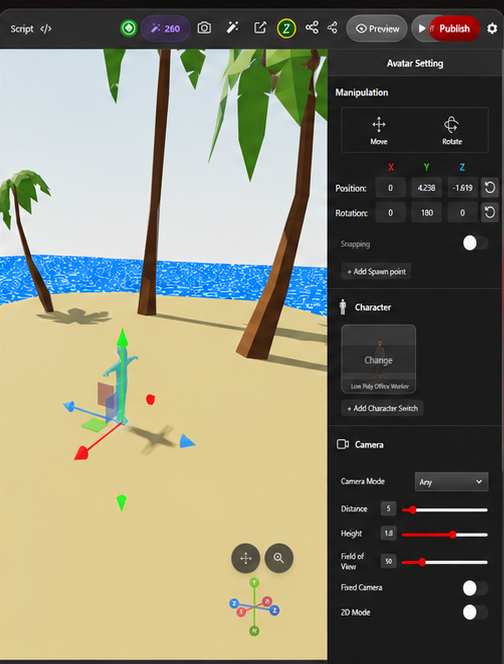
- Select Your Avatar: Go to Avatar Settings, open the character selector, and choose your newly uploaded character file.
🎉 Success! Your avatar should now be updated to your custom character model.
ZZeeshan Ahmad KhanMay 25, 2026, 8:32 PM
Check this settings
Your reply
Sign in or create an account to reply.